📣 Promotions with Airbnb (LOS Pricing Model)
This guide explains how promotions work with Airbnb when using Smily and the Length-of-Stay (LOS) pricing model. It also clarifies how these promotions are merchandised (i.e., visibly highlighted) on Airbnb and how to set up special offers via Smily.
🔧 Promotions Available on Airbnb via Smily
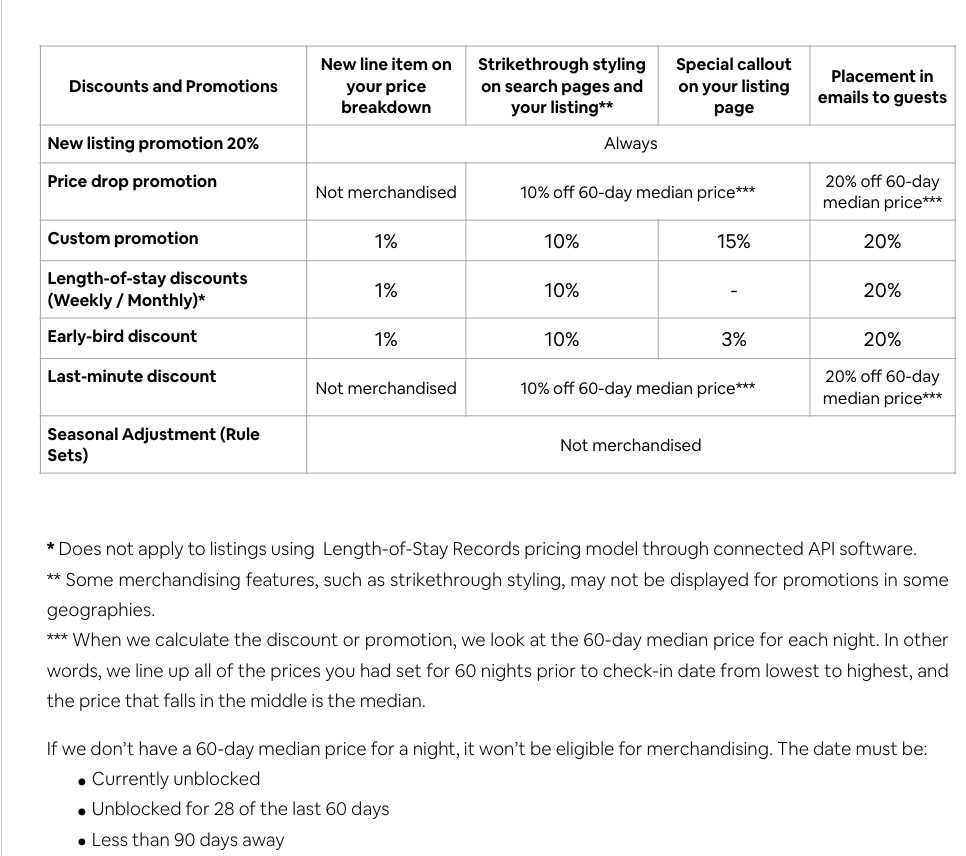
| Promotion Type |
Availability |
Merchandised on Airbnb? |
| LOS Discounts (weekly, monthly, or personalized) |
✅ Available |
❌ Not merchandised |
| Early Bird |
✅ Available |
✅ Yes (Minimum 1% discount required) |
| Last Minute |
✅ Available |
✅ Yes (Minimum 10% discount required) |
| New Listing Promotion |
✅ Available |
✅ Yes (20% discount required) |
| Non-Refundable Option |
✅ Available |
✅ Yes (Minimum 10% discount required) |
| Seasonal Discounts (e.g. early or late booking tied to specific seasons) |
✅ Available |
❌ Not merchandised |
| Special Offers (custom price increases or decreases for specific dates) |
✅ Available |
❌ Not merchandised |
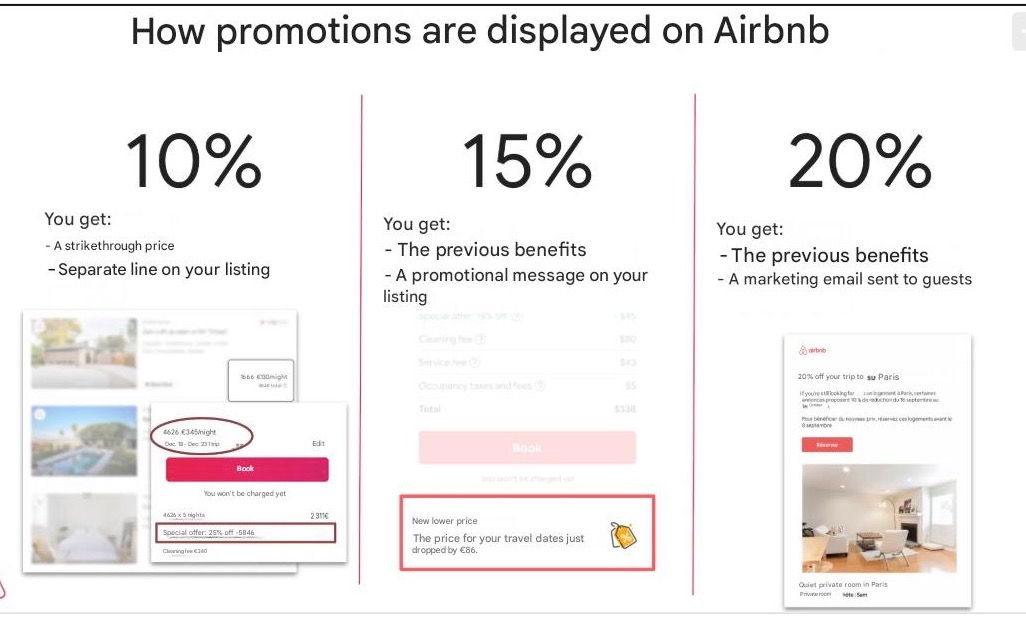
How Are Promotions Displayed on Airbnb?
✍️ Using Special Offers in Smily
💡 Special Offers let you apply custom percentage increases or decreases for specific dates (events, high/low seasons, manual price changes)
🔍 Important:
They are included in the price sent to Airbnb, but are not shown as a visible promotion
🛠️ How to Set Up Special Offers:
🔹 Go to Accommodations > Special Offers

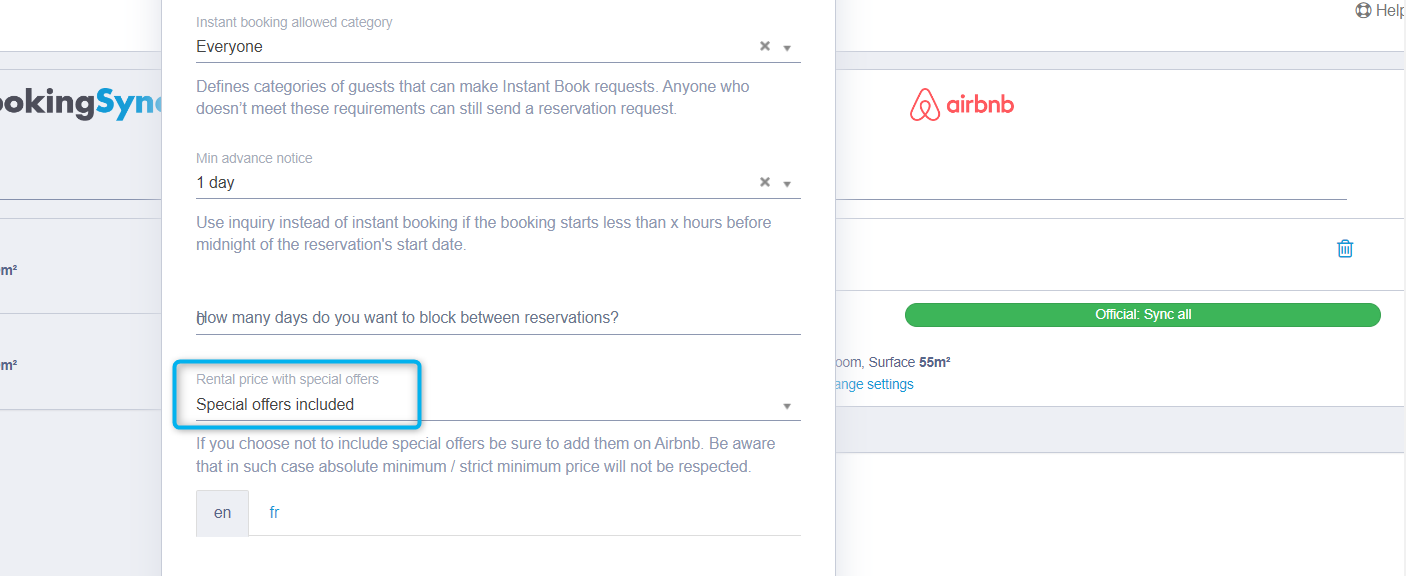
Adding special offers to the price calculation sent to Airbnb: App > Airbnb > Rental Price with special offers > Special offers included
If you need any help navigating the dashboard or have questions, please reach out to your Smily support contact. We’re here to support your success!


Comments
0 comments
Please sign in to leave a comment.